
Errors in the goAML registration form
November 10, 2026
The government aims to register thousands of companies by November 30. Its form isn't ready for that yet.
By November 30, 2026, every company engaged in a “high-risk” business activity must register in the goAML system—including thousands of limited liability companies (s.r.o.) that have accounting services registered just “to be on the safe side.” We went through the Financial Intelligence Unit’s registration form on behalf of our clients. Here’s what you’ll encounter along the way—and how to fill it out anyway.
To be fair: goAML is UN software used by dozens of financial intelligence units around the world. The issues we describe pertain to the Slovak localization and deployment, for which the Financial Intelligence Unit (FSJ) and the Ministry of the Interior are responsible. This status reflects the production environment as of November 6, 2026; if the FSJ corrects the errors, we will update this article.
1. Validation does not exist
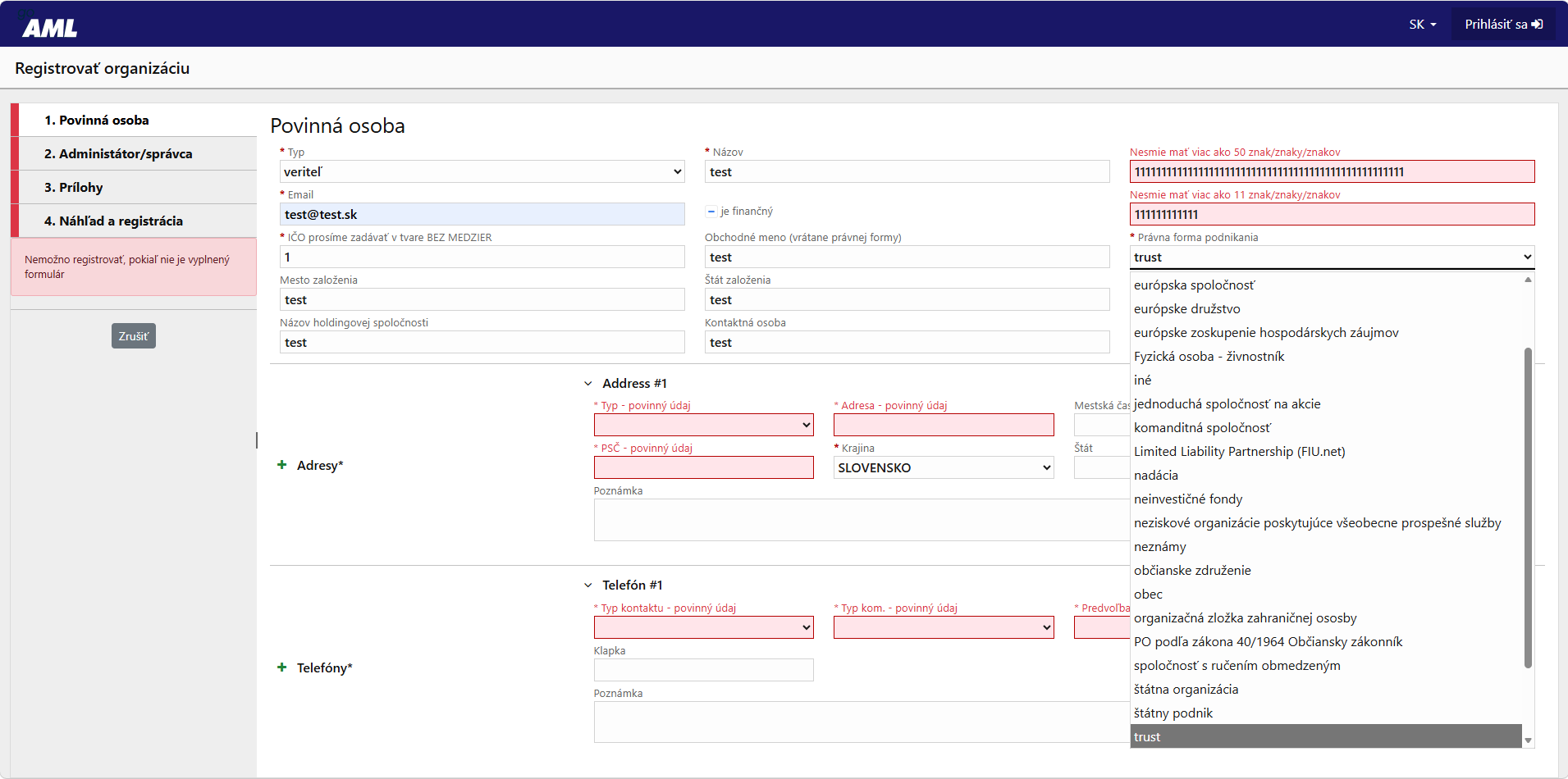
The IČO is not verified. The form will accept an IČO of “1” without any warning. The typo will slip through and won’t be caught until the FSJ reviews it during approval—the application will be returned, and you’ll lose days that you don’t have before November 30. Tip: Check the IČO against your Commercial Register extract before submitting.
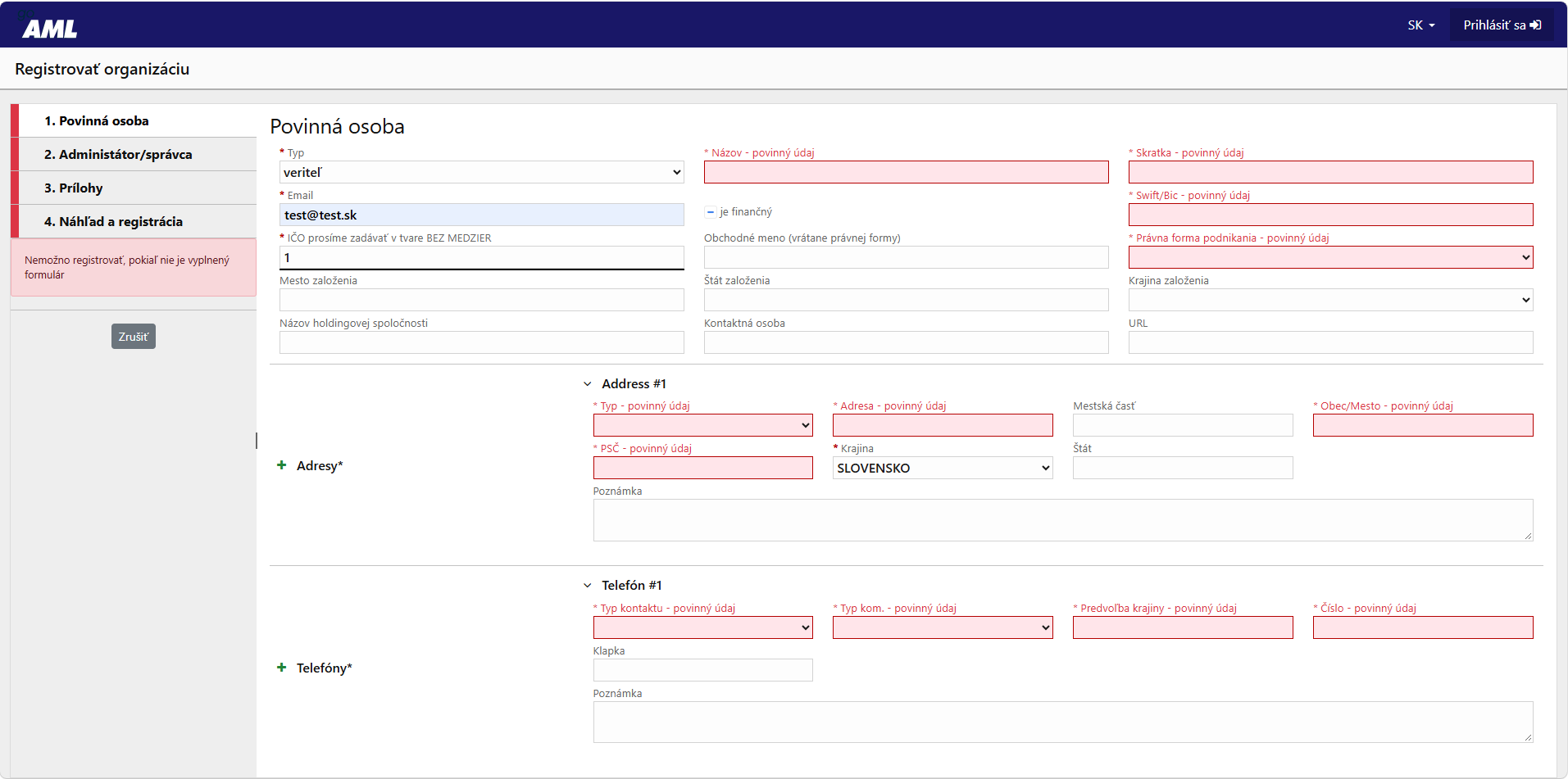
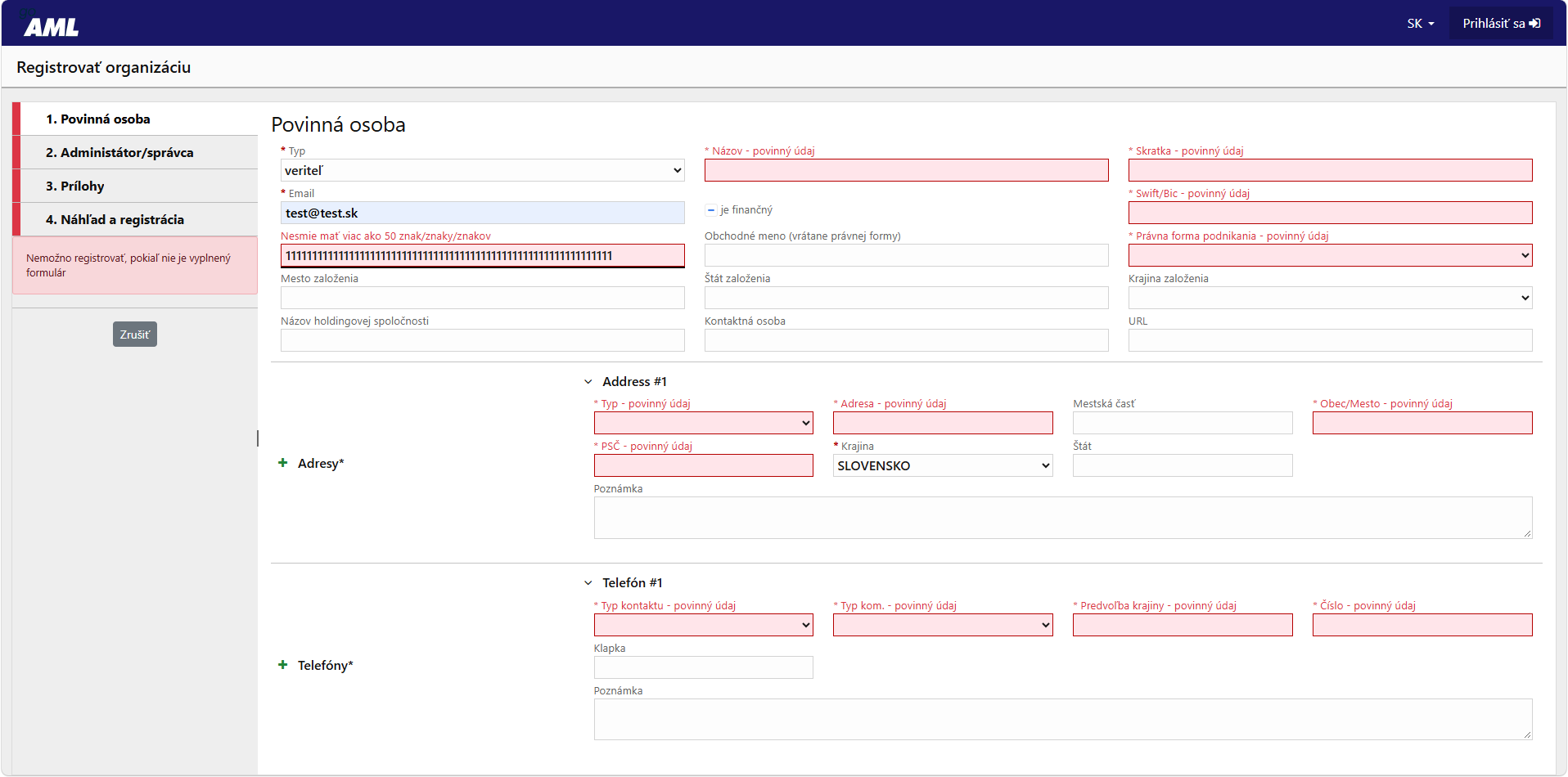
The only validation check in the entire form is the maximum number of characters. And even that one says, “Must not exceed 50 characters” – an incomplete translation. The SWIFT/BIC, ZIP code, and phone number formats are not validated. Tip: If you don’t have a SWIFT/BIC, FSJ support has confirmed that a hyphen “-” is sufficient.
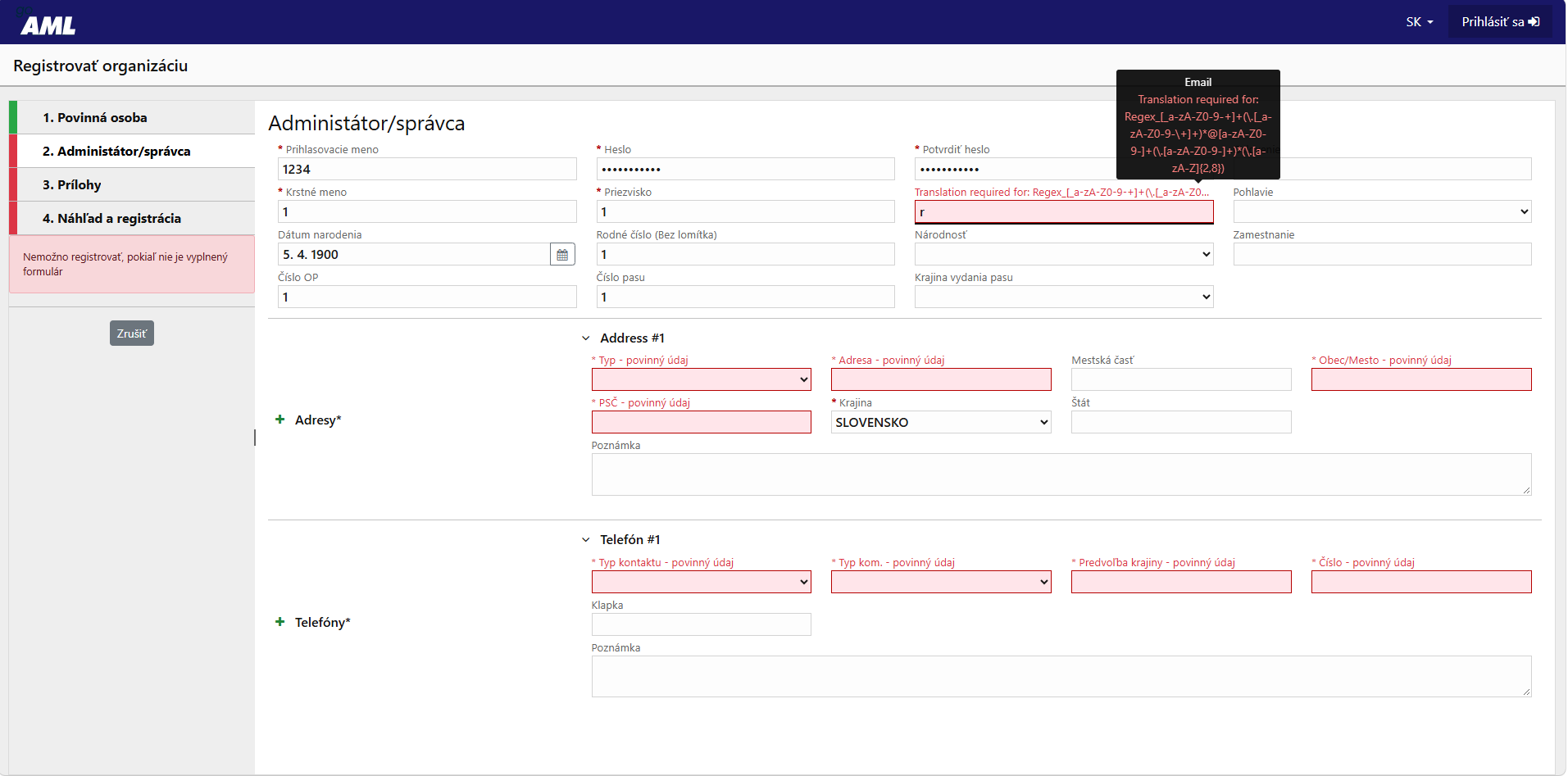
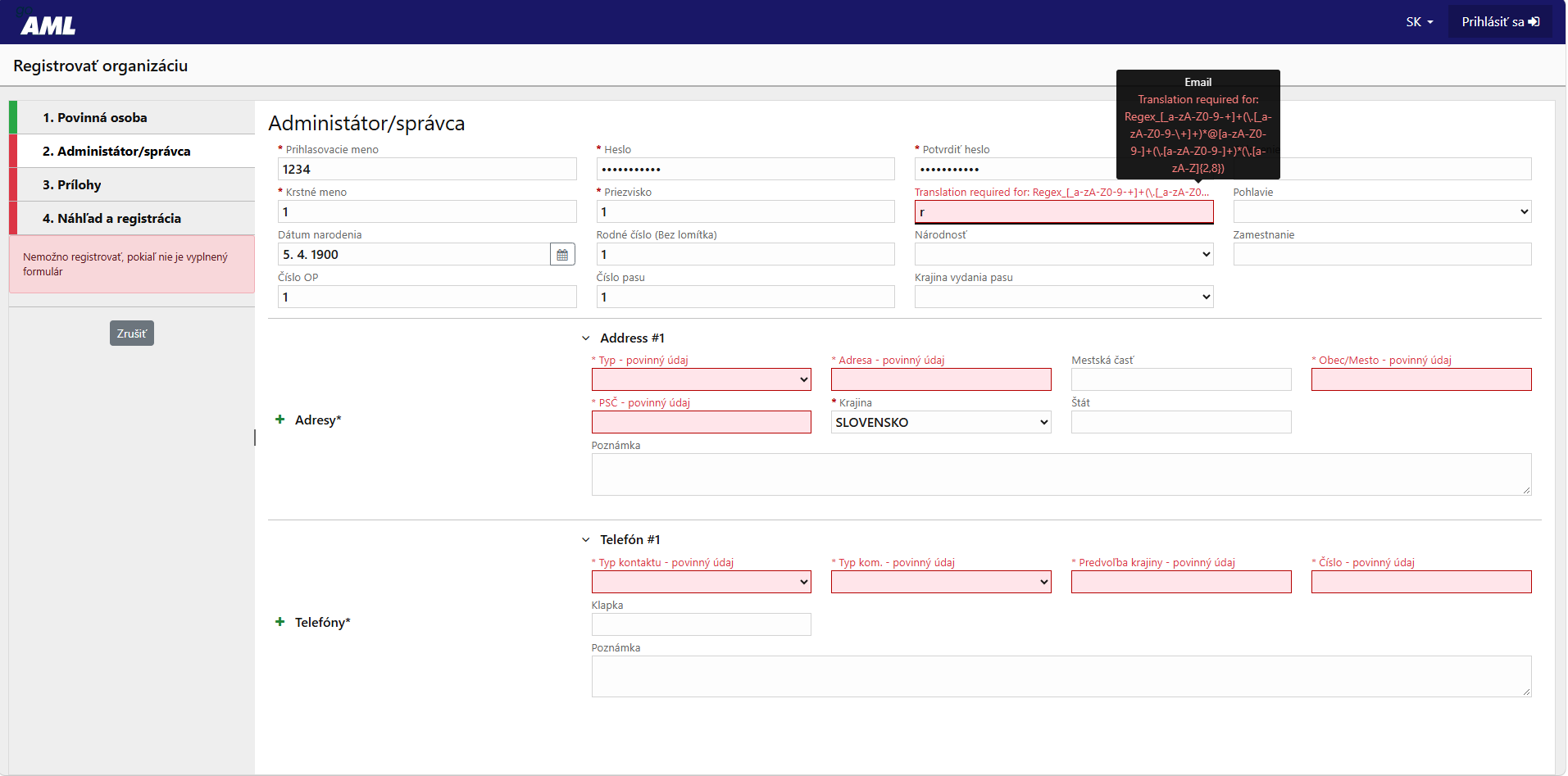
The "Administrator" tab has no validation. Username "1234," first name "1," birth number "1," ID number "1"—all of these are accepted. At the same time, the form requests sensitive data (birth number, ID card number, passport number, date of birth), which are optional and not required for company registration. Tip: Do not fill in optional personal data. Someone must actually monitor the administrator’s email—otherwise, a request from the FSJ to provide additional information will go unanswered.
2. Dials and Language
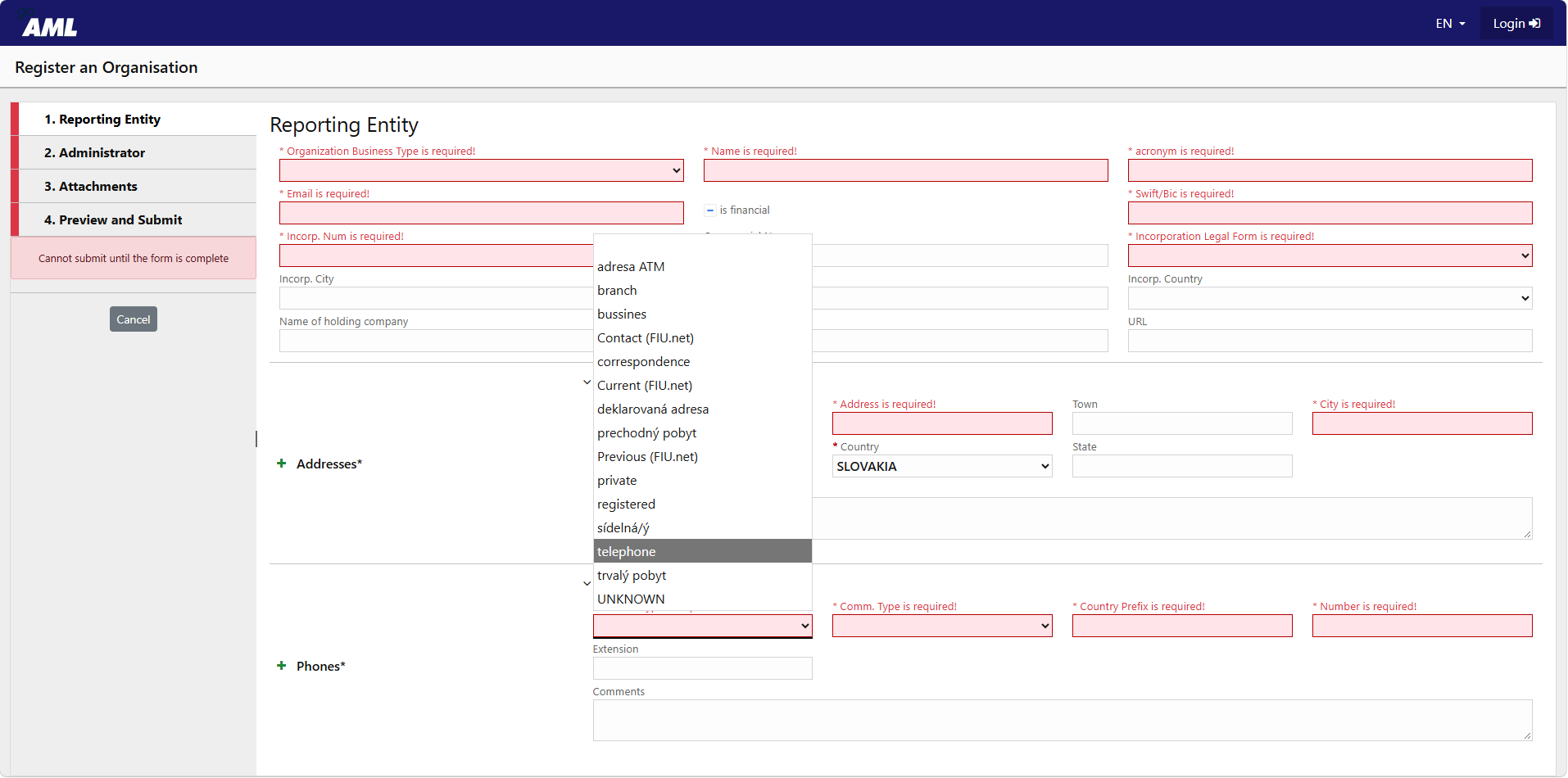
The list of countries is inconsistent. Most entries are in ALL CAPS, while some (Burma, Ceuta, Curaçao…) are in lowercase. This is a minor issue, but it makes searching for a country using the keyboard unreliable.
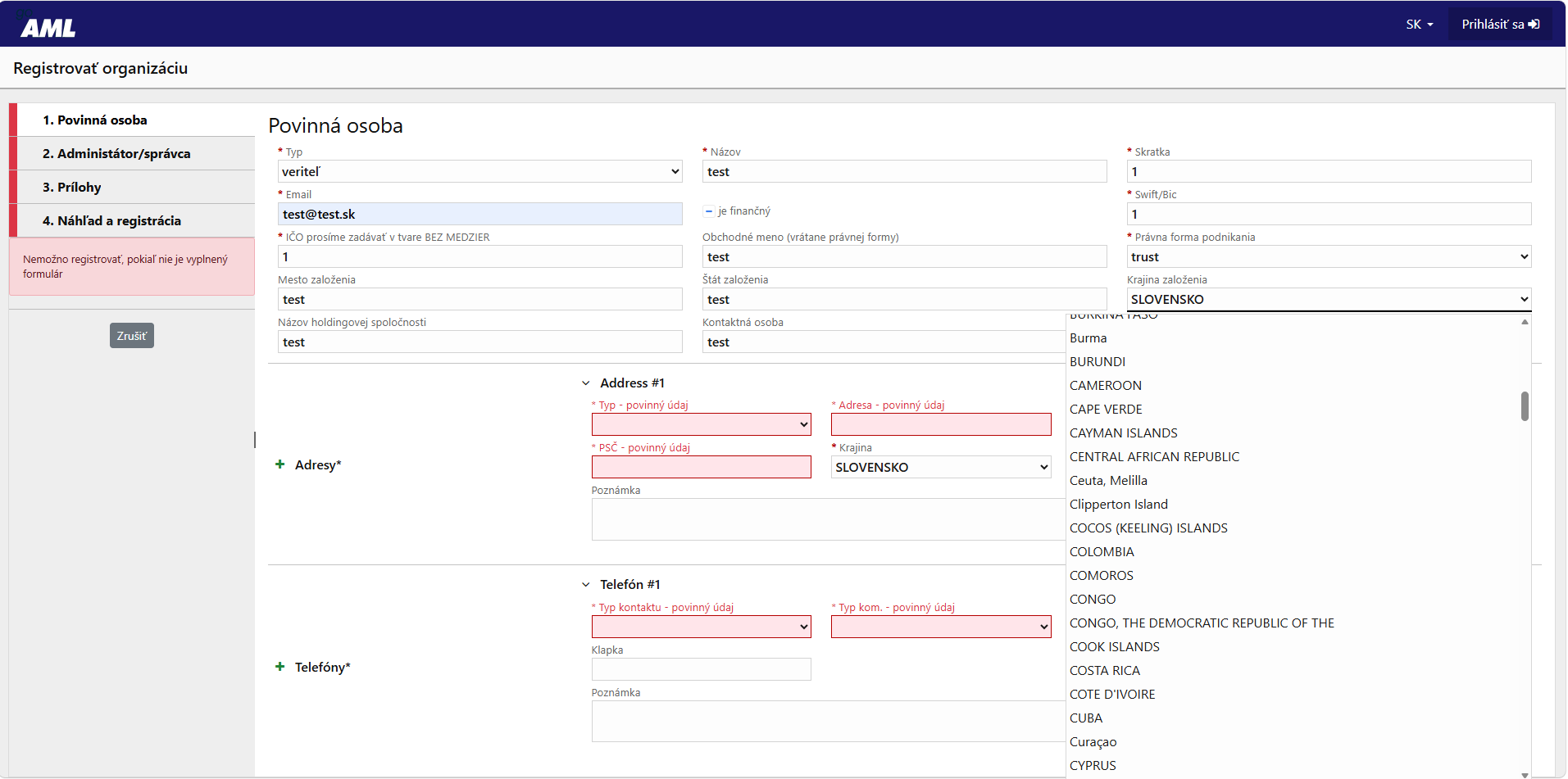
The legal forms offered include “trust,” “unknown,” and “Limited Liability Partnership (FIU.net).” This can be confusing for a standard limited liability company. Tip: Select “limited liability company”; for a sole proprietor, select “Natural Person – Sole Proprietor.”
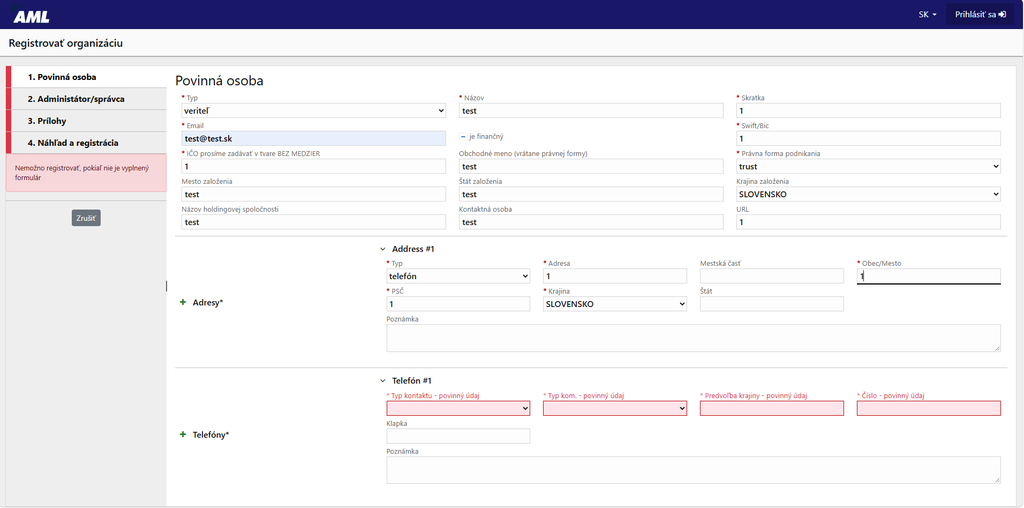
The address type can be “phone” or “ATM address.” The form will accept this combination. In the Slovak version, this section is titled “Address #1,” with “Addresses” on the left. Tip: For a company, select “registered office.”
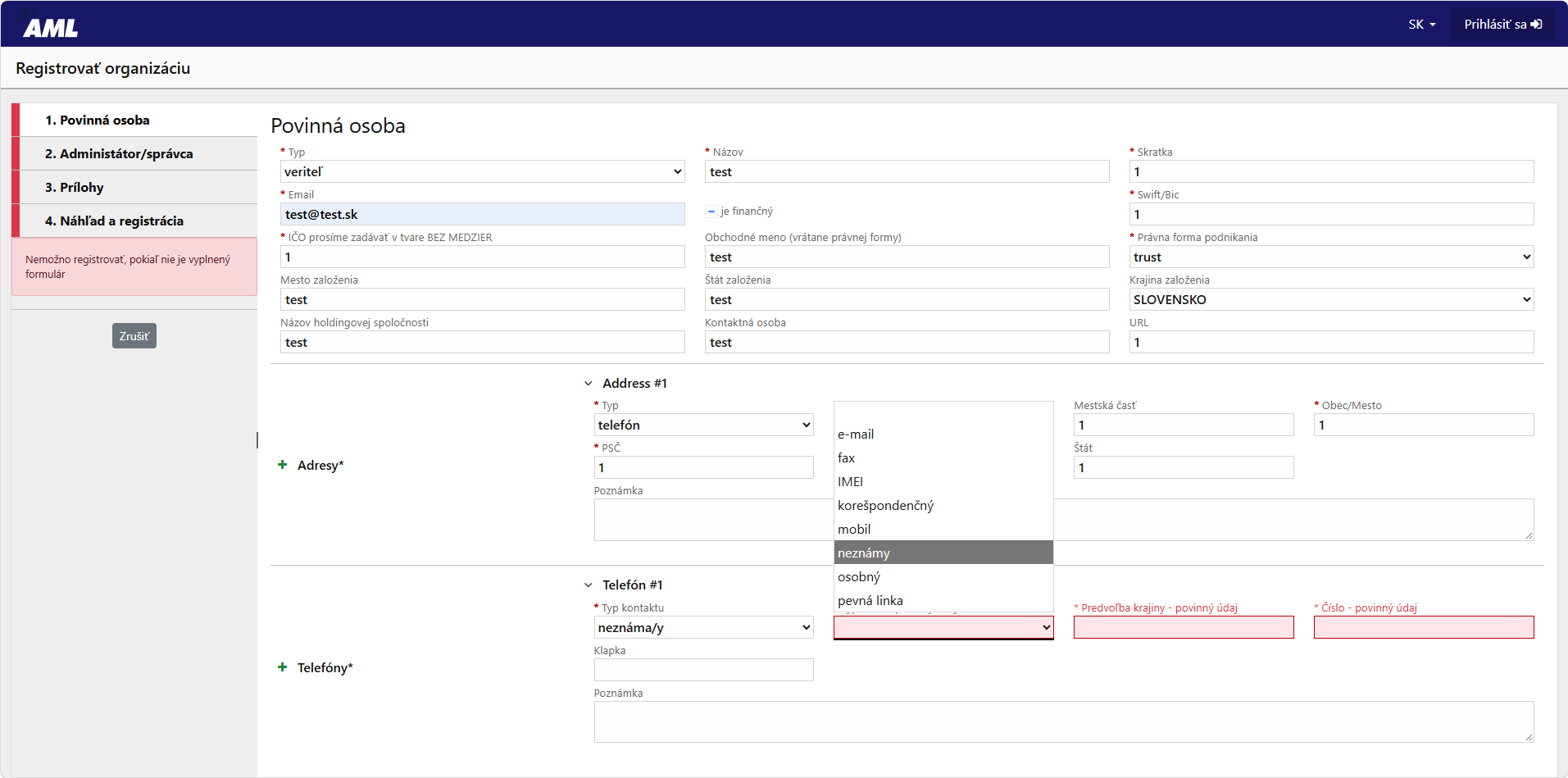
Both the contact type and the communication type are listed as “unknown.” This is a required field. In some cases, it’s “unknown(s),” in others, “unknown.” Tip: contact type “business,” communication type “cell phone.”
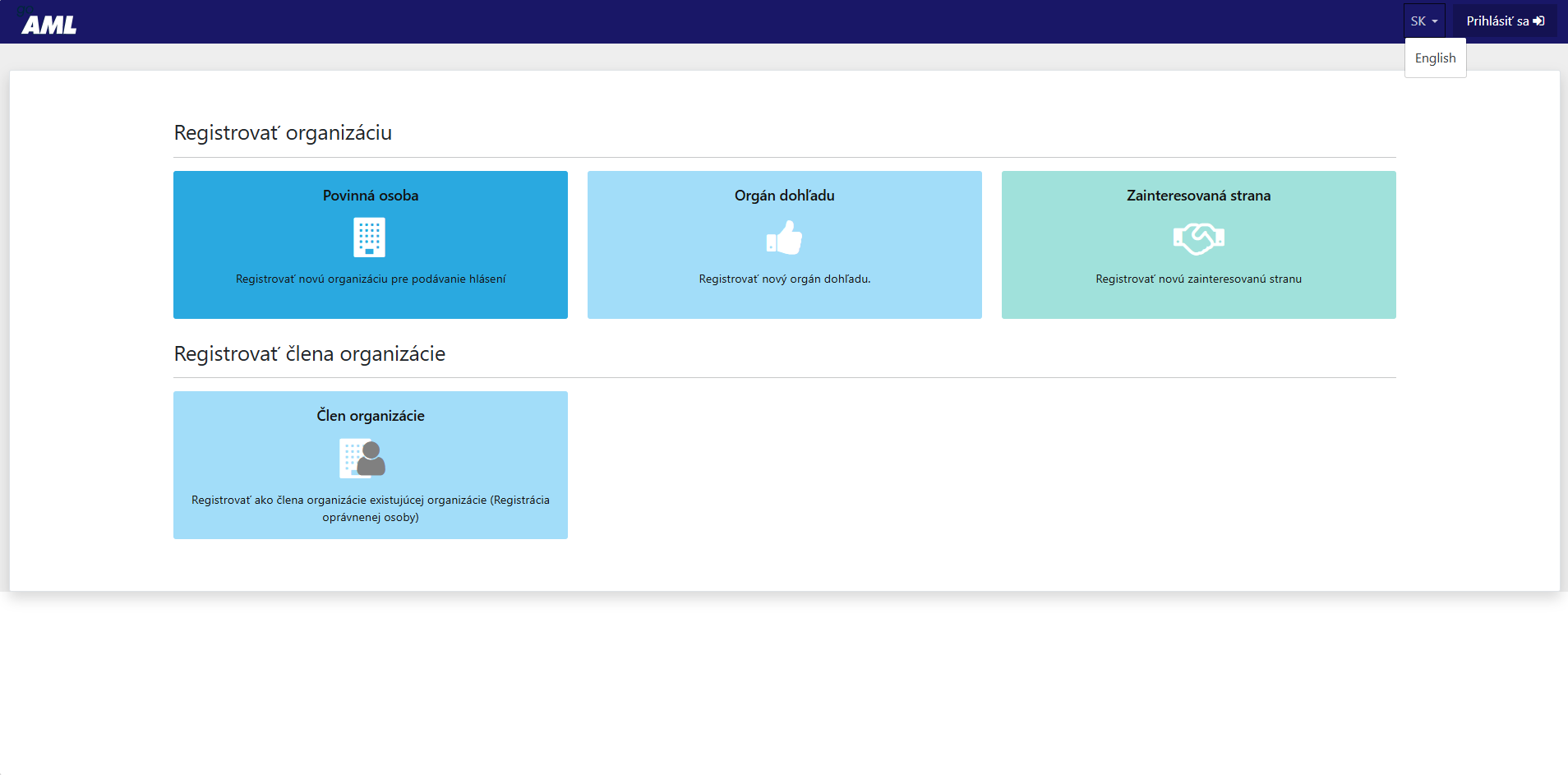
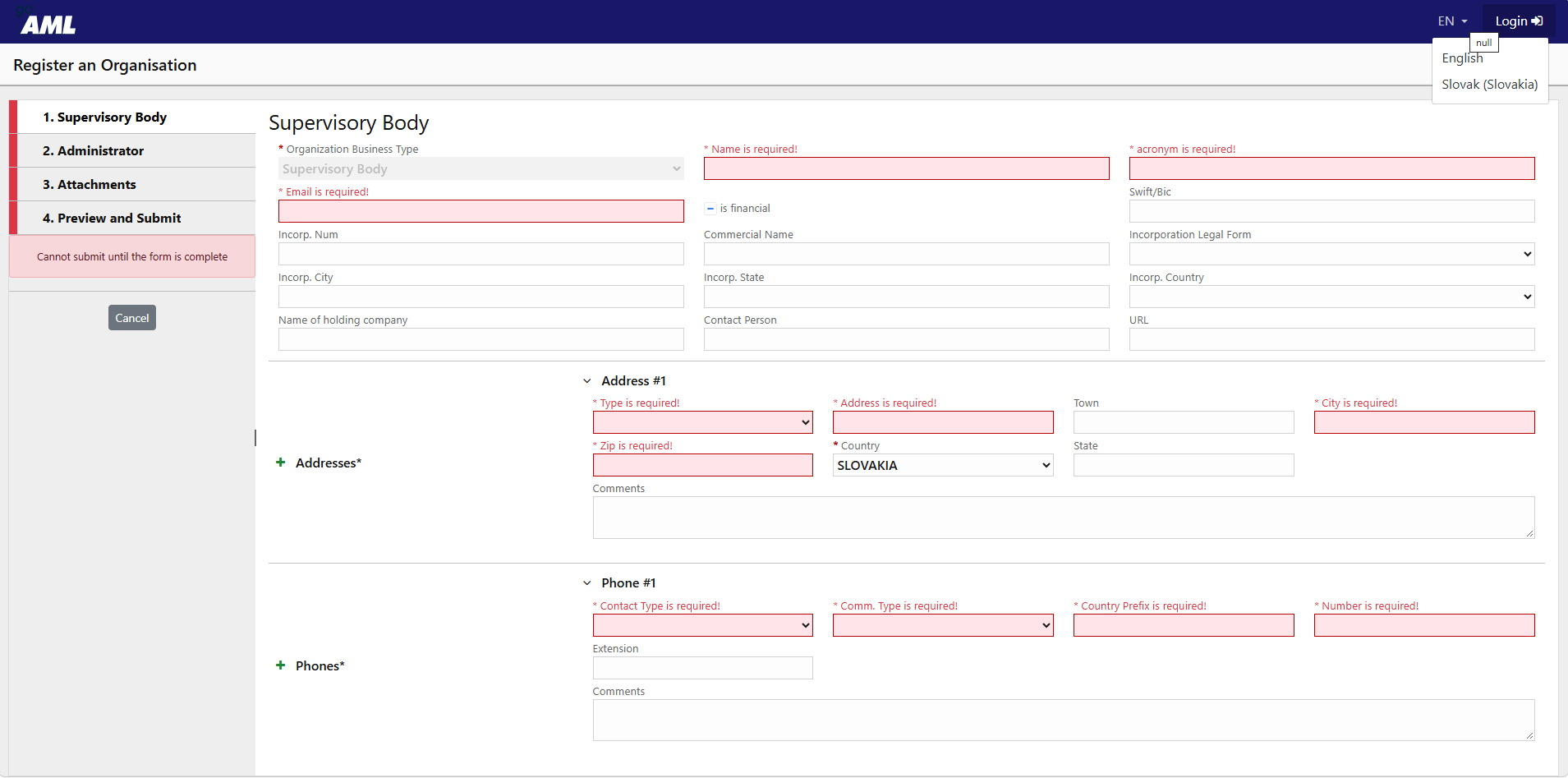
The language menu is asymmetrical. You can only switch from Slovak to English; from English, both options are available. A tooltip reading “null” appears above the menu.
The English version is only partially translated. The English version still contains Slovak address types (“temporary residence,” “residential”), a typo (“bussines”), and—under the “Stakeholder” category—exclusively Slovak entries (Police Corps Presidium, Public Prosecutor’s Office, court). A foreign executive will not fill out the form without Slovak. Tip: Fill it out in Slovak.
3. Pitfalls That Cost You Time
The error message for the email field is a raw regular expression. If you enter an invalid email address, the form will respond with: “Translation required for: Regex_[a-zA-Z0-9-+]+(…)”. The average person won’t know what to correct. Tip: Use a standard email address without diacritics.
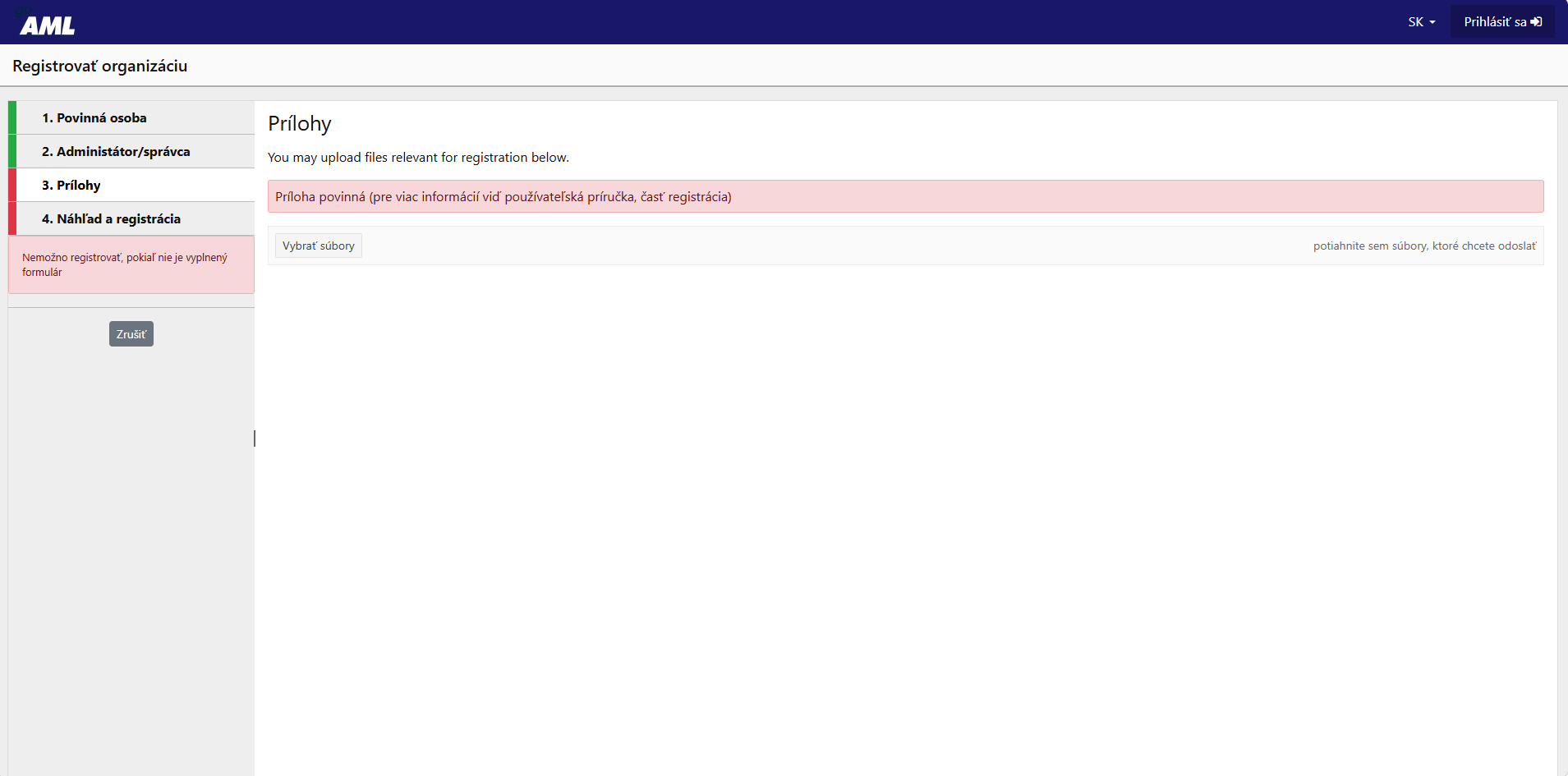
Attachments: “You may upload files…” and, immediately below that, the red text “Attachment required.” Optional or required? The same contradiction appears in the official FSJ manual. Correct answer: required. Tip: A legal entity must attach a current extract from the Commercial Register in a PDF format suitable for legal purposes; a sole proprietor must attach an extract from the Trade Register. A link to the register or a screenshot is not sufficient.
Switching the language clears the entire form you’ve filled out. A dialog box appears saying “You haven’t saved your changes…” and 15–20 minutes of work are lost. [VERIFY with the author of the screenshots: after switching, the “Supervisory Body” form opened—if this is a result of switching languages, add the sentence: “Furthermore, a different type of registration may open—supervisory body instead of obligated entity.”] Tip: Select your language before you start and don’t change it.
Two points on this from other sources: FSJ support acknowledges that the browser’s autofill feature can cause the form to malfunction and recommends turning it off, clearing your cookies, and using Microsoft Edge. And after submission, you’ll only receive a confirmation of receipt— not approval. FSJ has no statutory deadline, and you’ll receive your goAML ID only after approval. If your initial submission is deemed incomplete, you may not meet the November 30 deadline.
How to Fill It Out in 20 Minutes Anyway
- Microsoft Edge, autofill disabled.
- Language: Slovak – do not change.
- An extract from the Commercial Register in PDF format (or from the Trade Register) prepared in advance.
- SWIFT "-", address "registered office", contact "business", phone "cell".
- Omit the administrator's optional personal information.
- After submitting, check your email from the administrator—you are awaiting approval.
What the government should fix by November 30
Three things that would help the most:
- Verify the IČO against the registry of legal entities. Entrepreneurs should not have to manually check information that the government already has.
- Consistent language and clear error messages. A Slovak form written in Slovak, without “Address #1,” “null,” or regular expressions in place of error messages.
- Do not rewrite the completed form when changing languages.
The irony of it all: the form doesn’t even verify the company ID number, yet failure to comply with this requirement can result in a fine of up to 1,000,000 € (Section 33(1) of the AML Act). In practice, fines for small businesses typically range from 3,000 to 15,000 €, but even that is a steep price to pay for a business license you don’t use.
You don't have to go through that
Up to 80% of active limited liability companies (s.r.o.) list “bookkeeping” as part of their business scope in the Commercial Register but do not actually perform this activity. For them, there is an easier option than filling out this form: having that business activity removed from their registration. The FSJ guideline dated October 14, 2026, directly recommends this to companies that do not carry out this activity. The key step is removal from the Trade License Register—this terminates the obligation; the Commercial Register is then updated accordingly. We’ve summarized how to decide and what to check in our main article.
We’ll handle the narrowing of your business scope for €129 + VAT, including court fees and attorney’s fees, through the court within 6 business days. Please note: The Trade Licensing Office has no statutory deadline and will be overwhelmed in November. If you haven’t filed yet, do so today. Order a change for your s.r.o.

